
Features
Leap is a pipeline CRM for internal teams. This page describes the main features.
Contacts
Section titled “Contacts”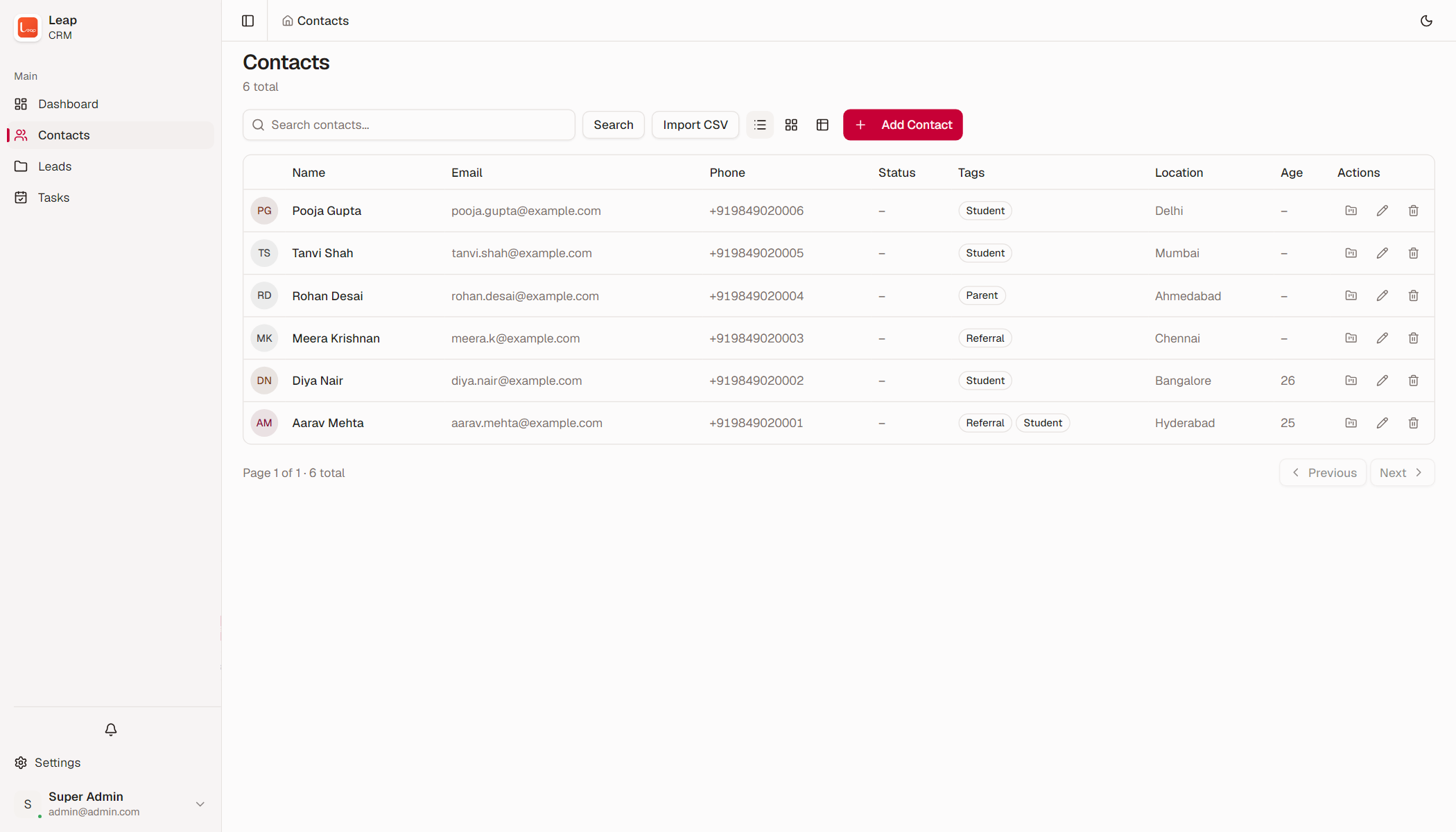
Contact records. A contact holds a name, a nickname, multiple phones, multiple emails, a location, and a date of birth. It also holds one status and any number of tags. One phone and one email are the primary details. An approximate age is an alternative to the date of birth.
Phone handling. Leap stores every phone in the international format. A national number receives the default country code from the settings. Duplicate checks and phone lookups match every phone and email on a contact.
Notes. A user with write access can add a note to a contact. Only the author of a note can delete it.
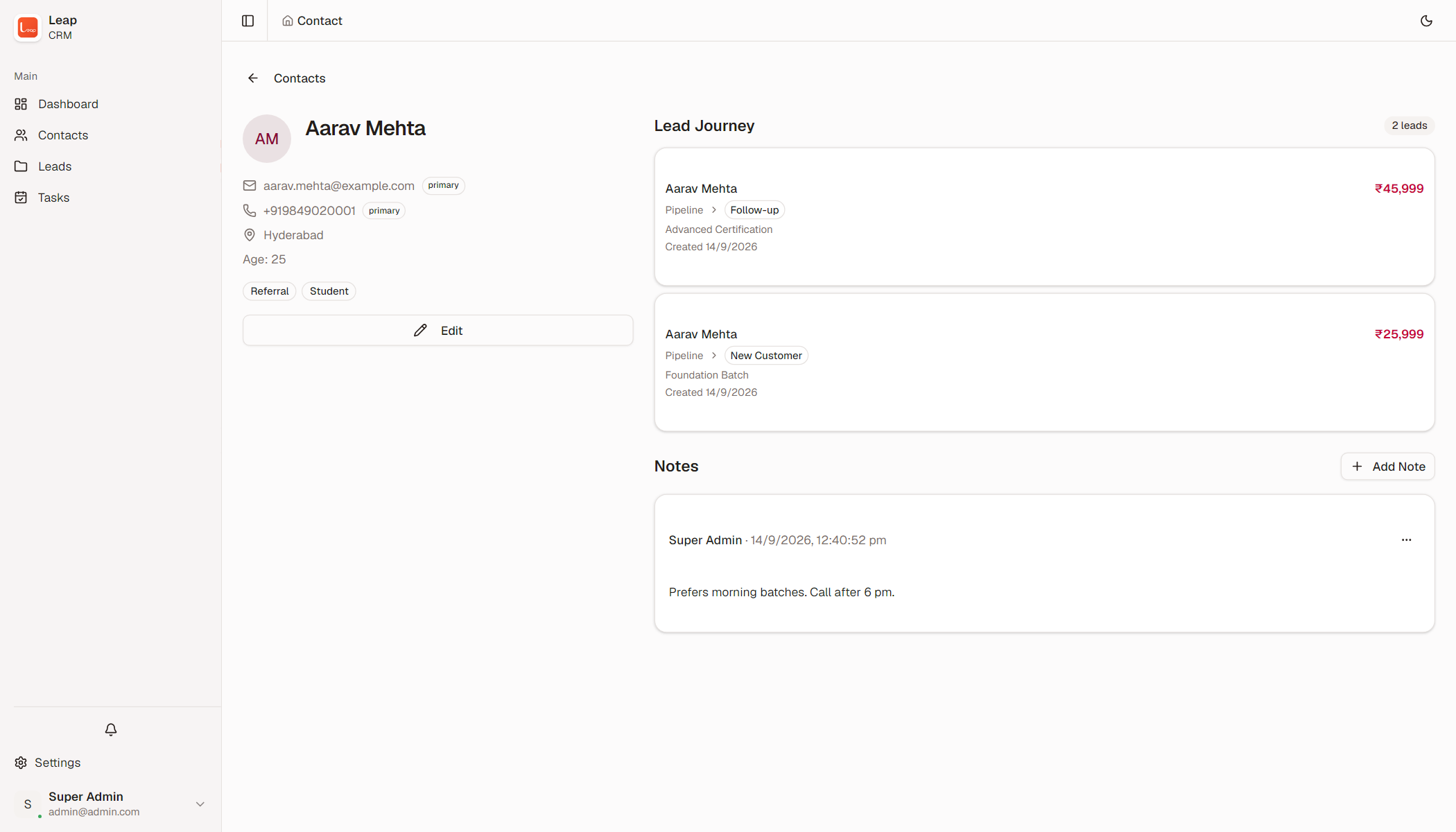
Lead journey. The contact page lists the leads for the contact. Each entry shows the stage, the outcome, the program, and the value.
CSV import. An import adds up to 500 contacts from a CSV file. The import shows a preview of the rows, and then a result per row. Leap skips a row when the name is missing, the email is invalid, or the row has no phone and no email. A row also fails when the phone or email exists, or a tag is unknown.
Duplicate warning. A new contact with a known phone or email shows a warning. The user can cancel, or create the contact anyway.
Pipelines and leads
Section titled “Pipelines and leads”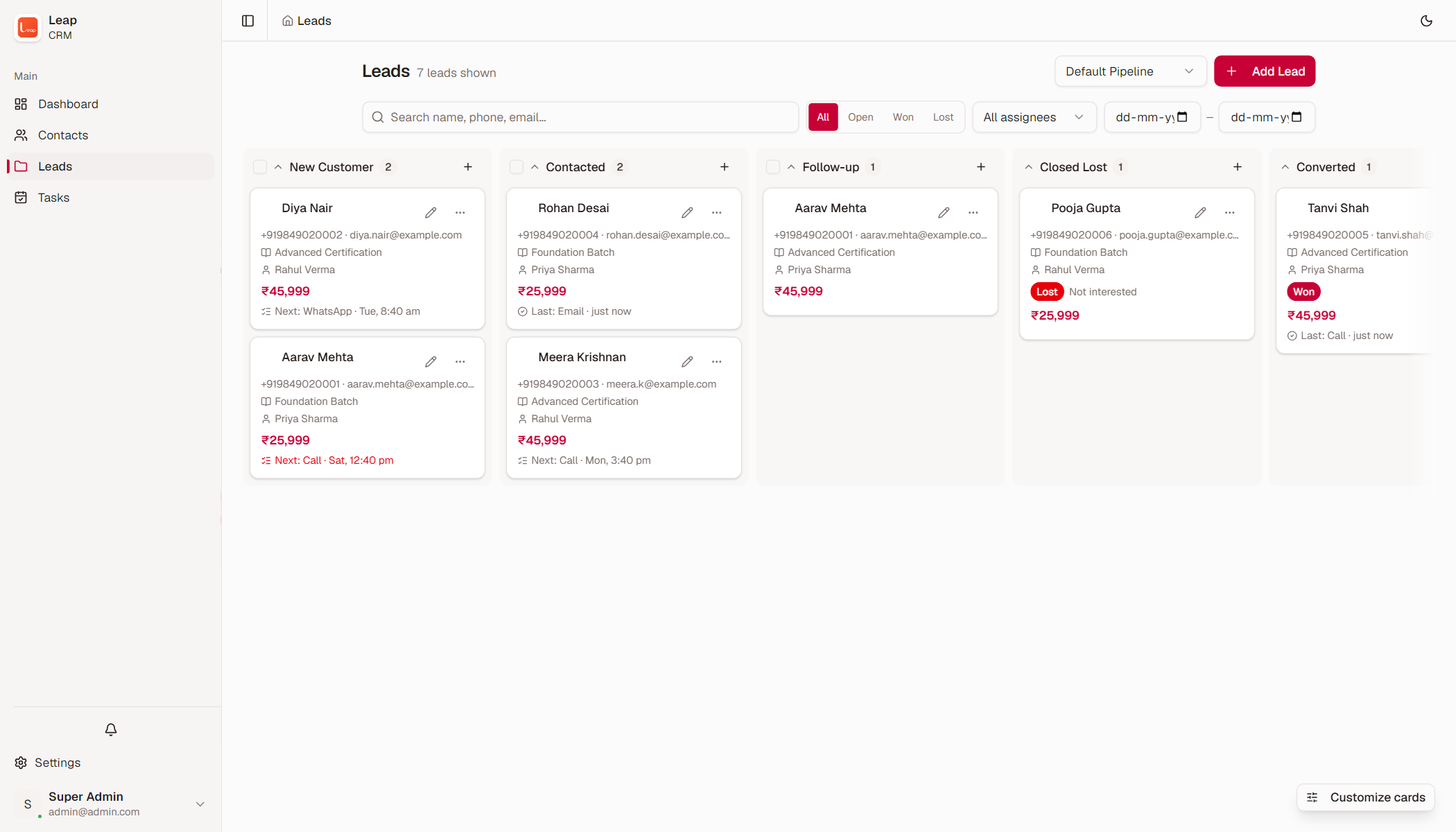
Stages and outcomes. A pipeline is a list of stages. Every stage carries one outcome: Open, Won, or Lost. Leap requires at least one open stage and one lost stage in each pipeline.
Kanban board. The board shows one column per stage. A column shows the stage name, the true lead count, and its cards. A user can add a lead to a stage from the column.
Lead cards. A card shows the contact, the program, the assignee, the outcome, the value, the next task, and the last touch. Each pipeline stores its own card fields.
Drag and drop. A drag moves an open lead to another stage. A move into a closing stage asks for confirmation. The lead becomes closed, and Leap cancels the open tasks. A closed lead that moves into an open stage starts a new cycle.
One open lead. A contact holds one open lead per pipeline and program. A duplicate entry returns a conflict with the existing lead. The user can log the enquiry on the open deal, or open the existing lead.
Enquiry logging. “Log enquiry” writes one completed task of the type Enquiry on the open lead. This action records the interest without a duplicate lead.
Bulk move. A user can select open leads and move them to one stage in a single action. The result reports the number of moved leads and the number of failures.
Tasks and reminders
Section titled “Tasks and reminders”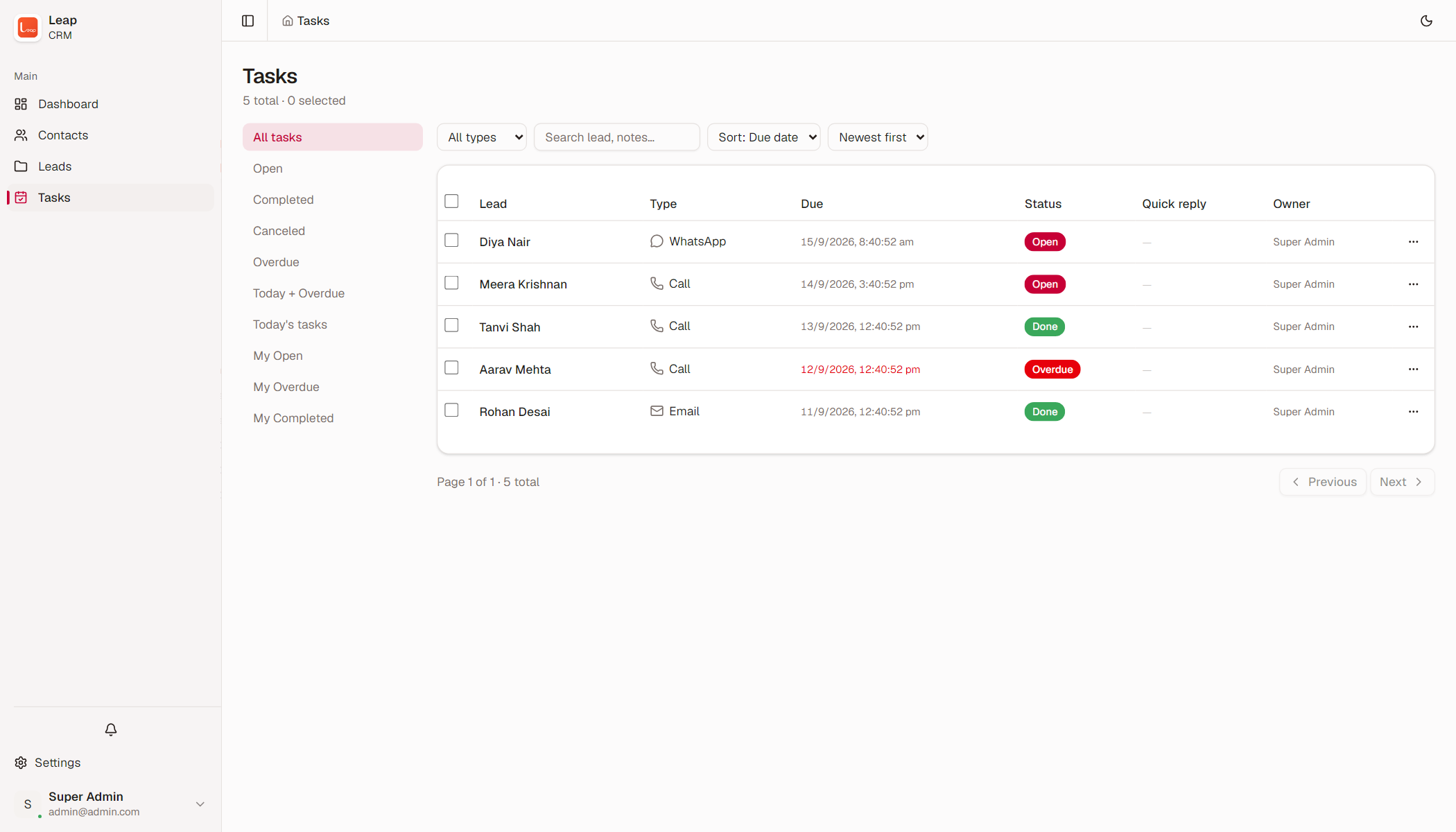
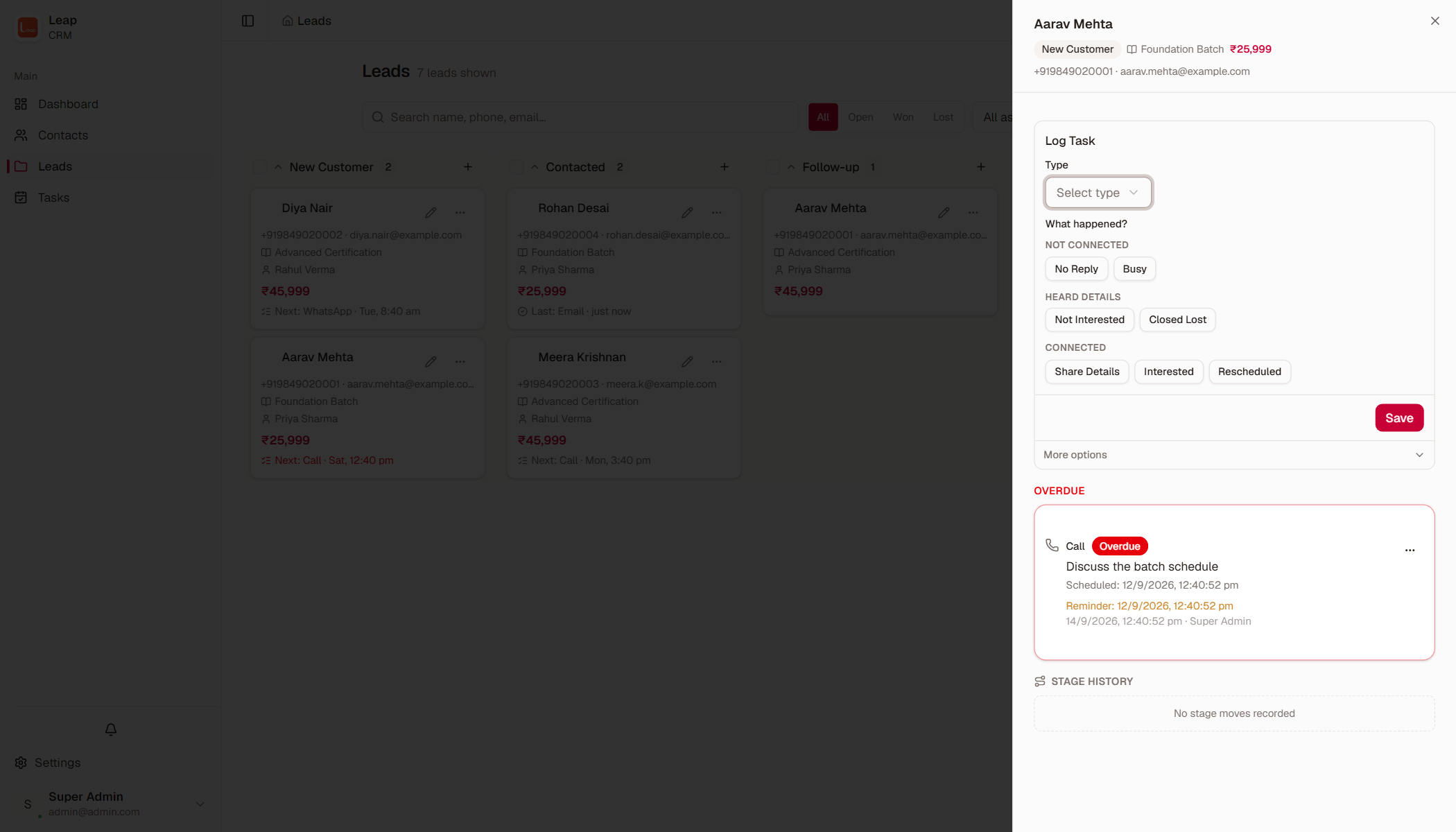
Task timeline. Every lead has a timeline of tasks: Call, WhatsApp, Email, Meeting, and Enquiry. Administrators can change the list of task types.
Quick replies. A quick reply is a prepared outcome for a task. Every quick reply has one behavior:
- Log only records the reply.
- Schedule next records the attempt and creates the next task of the same type.
- Close lost records the attempt and moves the lead to the lost stage.
Time ranges. A task has a start time, an optional end time, and a reminder time. If a start time is set and the reminder is empty, Leap prefills the reminder with the nudge lead time before the start.
Reminder bell. The bell shows the tasks that are due today or earlier. The scope is the responsibility of the user: tasks on their leads, tasks they created, and unowned tasks. The bell refreshes every 60 seconds while the tab is visible.
Snooze and dismiss. A snooze moves the reminder and the task forward by 15 minutes, one hour, three hours, or one day. A dismiss marks the reminder as handled.
Nudge lead time. The “Remind before tasks start” setting controls the default reminder offset for a new task. The default is 5 minutes.
Dashboard
Section titled “Dashboard”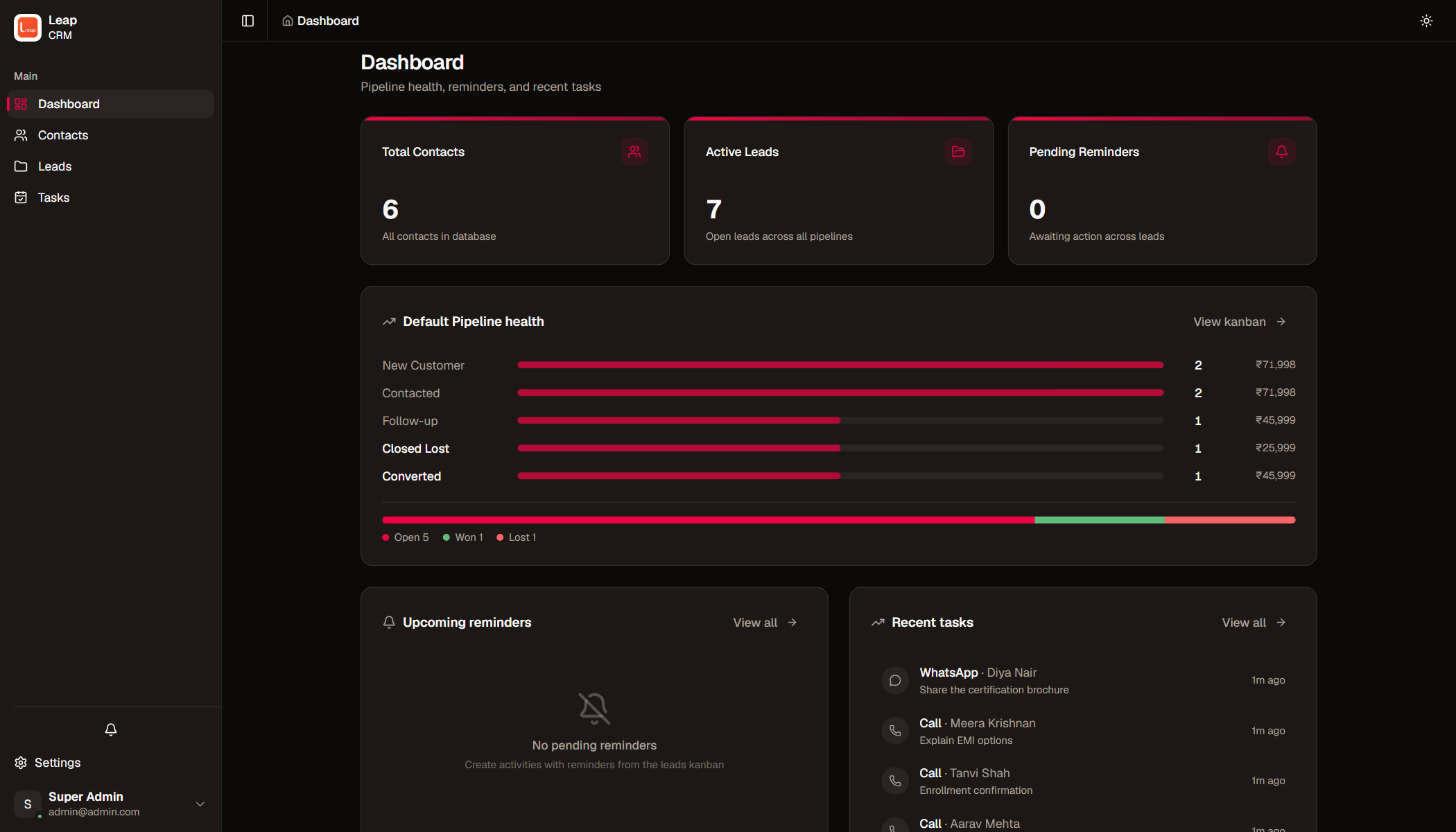
Counters. The dashboard shows the number of contacts, the number of leads, and the number of pending reminders.
Pipeline health. The pipeline card shows each stage with a count and a value. A distribution bar shows the open, won, and lost share.
Upcoming reminders. The card lists the next five reminders. A click opens the lead.
Recent tasks. The card lists the last ten tasks. A click opens the lead.
Programs
Section titled “Programs”Fixed-price catalog. A program has a name, a description, and a price. Administrators manage the programs in the settings.
Value snapshot. A lead value is a copy of the program price at creation time. A later price change does not rewrite existing leads. A new cycle takes a fresh snapshot.
Archive and restore. An archived program leaves the pickers, and historical leads keep their reference. A restore makes the program available again.
Settings
Section titled “Settings”Domain tabs. The settings page has tabs for Contacts, Sales, Team, General, and Audit log. A tab appears only when the user holds the related permission.
Pipelines and stages. The Sales tab holds the pipelines, the stages, the task types, the quick replies, and the loss reasons. A stage with leads cannot be deleted or change its outcome.
Lists and colors. A tag and a status can carry a color. When a tag in use is deleted, the label leaves the contacts. Leap refuses to delete a status while contacts use it, or a quick reply while tasks use it.
Organization settings. The General tab holds the nudge lead time and the default country code.
Access control
Section titled “Access control”Permissions. Leap has these permissions:
contact:read— View contacts.contact:write— Create, update, and delete contacts.lead:read— View leads and pipelines.lead:write— Create, update, move, and delete leads.settings:manage— Manage the settings, the users, and the roles.data:export— Export contacts and leads to CSV.*— All permissions.
Roles. A role is a named set of permissions. A user holds zero or one role, and the permissions of the user are the union of the role permissions.
System roles. Leap ships with three protected roles: superadmin, Sales, and Viewer. A system role keeps its name and cannot be deleted. An administrator can change the description and the permissions.
User administration. An administrator creates users, edits their details, assigns a role, resets a password, deactivates an account, and reactivates it. A deactivated user cannot log in, and the work history stays.
Password policy. A password has 10 to 72 characters with an uppercase letter, a lowercase letter, a digit, and a special character. A new user and a reset user must change the password at the first login.
Audit log
Section titled “Audit log”Recorded actions. Leap records creates, updates, deletes, imports, logins, logouts, password changes, and settings changes. A record holds the actor, the time, the action, the type, and a description.
Filters. The audit log filters by user, action, and type. The trail requires the settings:manage permission.
Export
Section titled “Export”CSV export. The export writes contacts, leads, or both to CSV files. The export needs the data:export permission. Leap prefixes risky cell values, so a spreadsheet does not run them as formulas.
Security
Section titled “Security”Sessions. Login returns a short-lived access token and a refresh cookie. The access token stays in memory. The refresh token is HttpOnly and rotates on every refresh.
Request protection. Cookie-based requests carry a CSRF token. Login, refresh, and password-change requests are rate-limited.
Deployment
Section titled “Deployment”Single binary. The Go binary contains the frontend and the migrations. A deployment needs only the binary and PostgreSQL.
Docker Compose. The compose files start the application and PostgreSQL. The production file refuses to start without real secrets.
Migrations. The migrations run at startup and are idempotent. A restart is safe.